Backstage Menu
The application menu ("Innovator button") contains commands for working with models; this can be found in the top left-hand corner of the program window.
Familiarizing Yourself with the Application Menu
The application menu opens if you click on the Innovator button. This is known as the so-called "backstage view".The ribbon contains commands for working in a model, whereas the application menu contains commands for working with a model.
 Where is the application menu?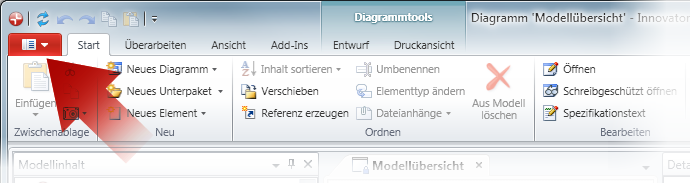
The application menu contains various commands for models and tabs for various application areas.
-
 Login
LoginThis command opens the dialog for selecting a model to login to this model.
-
 Switch Role
This command opens the dialog for selecting the role.
-
 Logout
This command logs the user out and the active model is closed. The Innovator client application is not closed.
 button adds the document to the recently-used documents.


 button to jump to the edition you are currently using.
-
 Options
This command opens the Options dialog where you can make settings for various areas of the interface to apply to your computer.
-
 Exit Innovator
This command closes the application if no models are open or if the Always close Innovator option is set. Otherwise you can close the active model or exit Innovator and, in doing so, close all open models.
Note:This command closes all Innovator programs in the Personal edition, i.e. the program interface and the repository server and license server processes running in the background.