Creating a Class Attribute
Attributes represent the structural properties of a class. The name of an attribute must be unique within the class.
Context
Attributes represent the structural properties of a class. During runtime, the attribute for each object instanced is assigned a value.
You can create attributes using the class' context menu or the ribbon.
How to proceed
-
Right-click on the class you want to create the attribute for.
The selected class has a blue frame around it. The context menu for classes in the class diagram and the associated mini toolbar will appear.
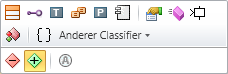
The colored bar at the top contains icons for commands for creating elements that can be content for the selected class, e.g.
 Attribute,
  Operation or (inner)
  Class.
 -
Click on the
Attribute icon.The attribute is created within the class and is added to the class' «Attribute» section's content. It is initially given a default name that you can immediately change.
If you have already created an attribute in a class, then you can create further attributes quickly by selecting the existing attribute and pressing the [Ctrl]+[+] shortcut keys.