Modeling Embedded Subprocesses
Model subprocesses and set their type.
Subprocesses provide a frame for tasks which belong together within a process. Subprocesses can group tasks which factually belong together or make a diagram easier to read by adding hierarchy.
Subprocesses can define an additional semantic as
- An event-based subprocess
- A transaction
- An ad-hoc subprocess
Isolated tasks can be moved into a subprocess at a later stage.
Subprocesses can be changed into a call activity.
Creating a Subprocess
How to proceed
- Drag the subprocess icon from the Create Diagram Content gallery and drop it in the BPMN diagram.
Alternatively, use the mini toolbar to create a new subprocess. -
Click with the right mouse button on the subprocess to set the subprocess type or other properties.
The mini toolbar appears along with the context menu.

-
Select the subprocess type or property you want.
The selected property is shown in the diagram node.
Alternatively, the subprocess type and other properties can also be set in the Properties window.
Expanding a Subprocess
Prerequisites
The subprocess needs to be in a referencing view. A subprocess cannot be shown as expanded in a definition.
How to proceed
-
Click on the minus sign at the bottom edge of the subprocess:
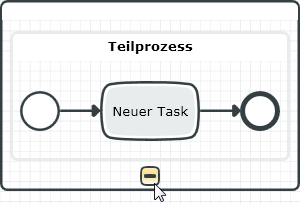
The subprocess is expanded and the minus sign is replaced by a plus sign. The subprocess can be expanded again using this plus sign.